DXF Viewer Pro
Unlimited DXF and DWG viewing in your browser. Open CAD drawings instantly, inspect layers, measure and export — your files are processed locally and never uploaded.
Free to start · Pro from $4.99 / month or $29 / year · Cancel anytime · 30-day money-back guarantee
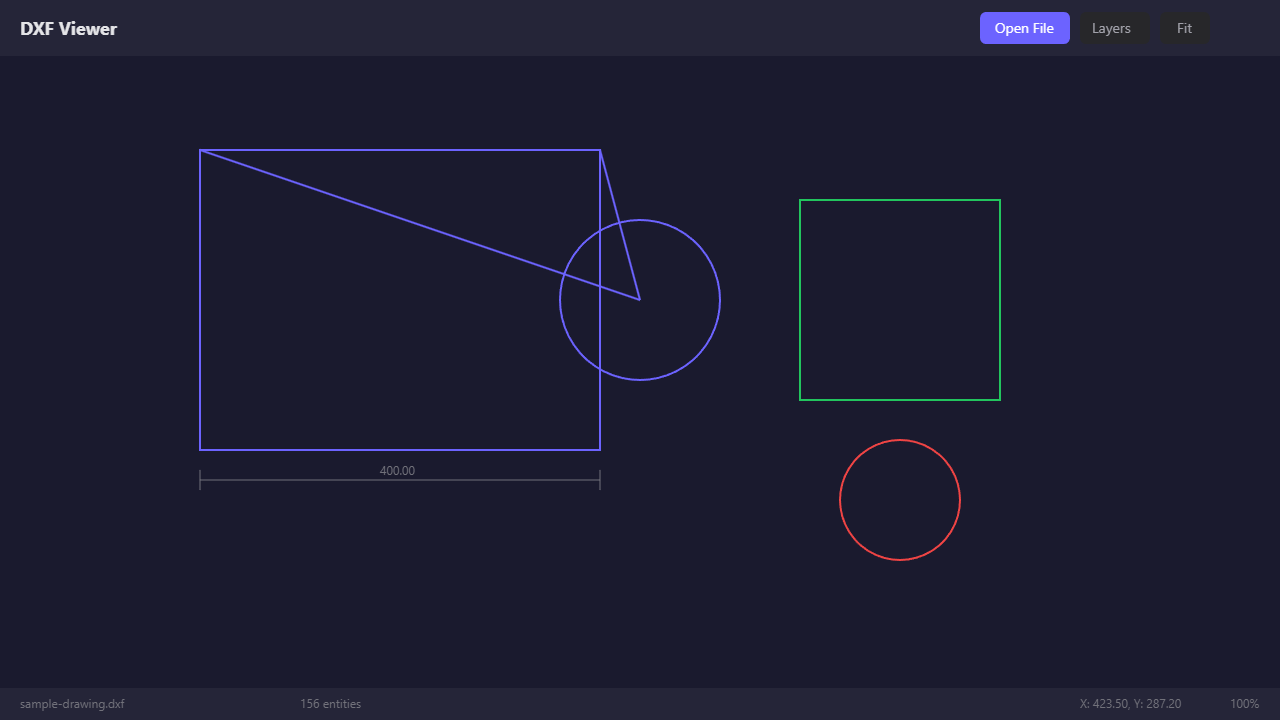
The DXF Viewer interface: open a file, toggle layers, measure, zoom and export.
What DXF Viewer does
A fast online viewer for CAD drawings. No installation, no account to start, nothing uploaded.
What it is
DXF Viewer opens DXF and DWG files directly in your web browser. Drop a drawing in and it renders in seconds, with full zoom and pan, a layer list, a measuring tool and export to PNG or PDF. Everything runs on your device: the file is parsed and drawn locally, so it never leaves your computer.
The free plan lets you try everything. DXF Viewer Pro removes the file-open limit so you can open as many drawings as your work needs.
Who it is for
- Engineers and architects who receive drawings and need to check them without launching a full CAD suite.
- Fabricators, machinists and sign makers who open customer DXF files all day.
- Project managers, purchasers and clients who only need to view and measure, not edit.
- Anyone on a laptop, tablet or locked-down work machine where installing CAD software is not an option.
How to use it
Three steps, no setup.
Open a file
Go to dxfviewer.app and drag a DXF or DWG file into the window, or click Open File. The drawing appears immediately.
Inspect the drawing
Zoom and pan, show or hide layers, search for text and measure distances with snapping to check dimensions.
Export or share
Save the current view or the whole drawing as PNG or PDF to send to a colleague or attach to a quote.
What you get with Pro
Pro removes the file-open limit and keeps every viewer feature you already use. No separate app to install.
Unlimited file opens
Open as many DXF and DWG drawings as you need, every day, with no counter and no waiting.
DXF and DWG support
Open both common CAD drawing formats straight from your computer — no CAD software or plug-ins required.
Layer control
Show, hide and isolate layers to focus on exactly the part of the drawing you are checking.
Measurements
Measure distances directly on the drawing with snapping, so you can verify dimensions in seconds.
Smooth zoom and pan
Navigate large drawings fluidly, from the full sheet down to the smallest detail.
Export to PNG and PDF
Save a view or the whole drawing as an image or a PDF to share with colleagues and clients.
How the free plan works
In the United States, the free plan includes 5 file opens; a Pro plan unlocks unlimited opens. Everywhere else, DXF Viewer is currently free to use without a limit.
Open drawings for free
Drop a DXF or DWG file into the viewer. In the United States, your first 5 file opens are free — no account needed.
Reach the limit
After the 5th open, the viewer shows a short upgrade prompt. Nothing is uploaded and nothing is lost — your file stays on your device.
Go Pro in a minute
Pick monthly or yearly, pay securely with a card, and keep opening drawings without a limit. Cancel anytime.
Simple, fixed pricing
Start free. Both Pro plans include the same unlimited access — choose the billing period that suits you.
Free
- 5 file opens in the United States
- Unlimited opens outside the US at launch
- DXF and DWG support
- Layers, measurements, zoom and pan
- Export to PNG and PDF
- Files processed locally, never uploaded
Pro — Monthly
- Unlimited DXF and DWG file opens
- All viewer features included
- Works in the viewer and the browser extension
- Renews automatically each month
- 30-day money-back guarantee
Pro — Yearly
- Unlimited DXF and DWG file opens
- All viewer features included
- Works in the viewer and the browser extension
- Renews automatically each year
- 30-day money-back guarantee
Prices in US dollars; applicable taxes are shown at checkout. DXF Viewer Pro is an auto-renewing subscription: it renews at the end of each billing period until you cancel. Cancel anytime from Restore purchases / Manage subscription in the viewer footer; your access continues until the end of the paid period. Payments are processed by our merchant of record (the payment platform operator), our merchant of record. See the Terms of Service and Refund Policy.
Frequently asked questions
What counts as a "file open"?
Can I cancel my subscription?
What is your refund policy?
Are my drawings uploaded anywhere?
Does Pro work with the browser extension?
.dxf links in the same viewer, so your Pro subscription applies there too. Sign in with the same email you used at checkout, and use Restore purchases if the viewer does not recognise your plan on a new device.Will I get an invoice or receipt?
Contact us
Questions about Pro, billing or a drawing that will not open? A real person reads every message. We typically reply within 24 hours.
Email support
The fastest way to reach us. Include the email you used at checkout for billing questions.
support@dxfviewer.appWe typically reply within 24 hours, Monday to Friday.
Subscription changes: open the viewer and click Restore purchases / Manage subscription in the footer.